Discover Google Pics: Precision AI Image Generation & Editing in Google Workspace
Creating visual content with artificial intelligence should feel like creative direction, not a game of chance. For many team members, generating AI visuals in the past felt like "prompt-and-pray", producing an almost-perfect image, only to realize that tweaking one small element meant starting completely over from scratch.
That paradigm is changing with Google Pics, a brand-new image creation and precision editing tool powered by Gemini (built on Google's advanced Nano Banana model). Designed to seamlessly integrate into the Google Workspace ecosystem, Google Pics brings granular control, real-time collaboration, and effortless editing right to your workflow.
Here is everything your organization needs to know about Google Pics, its features, compatibility, and how to get access.
What is Google Pics?
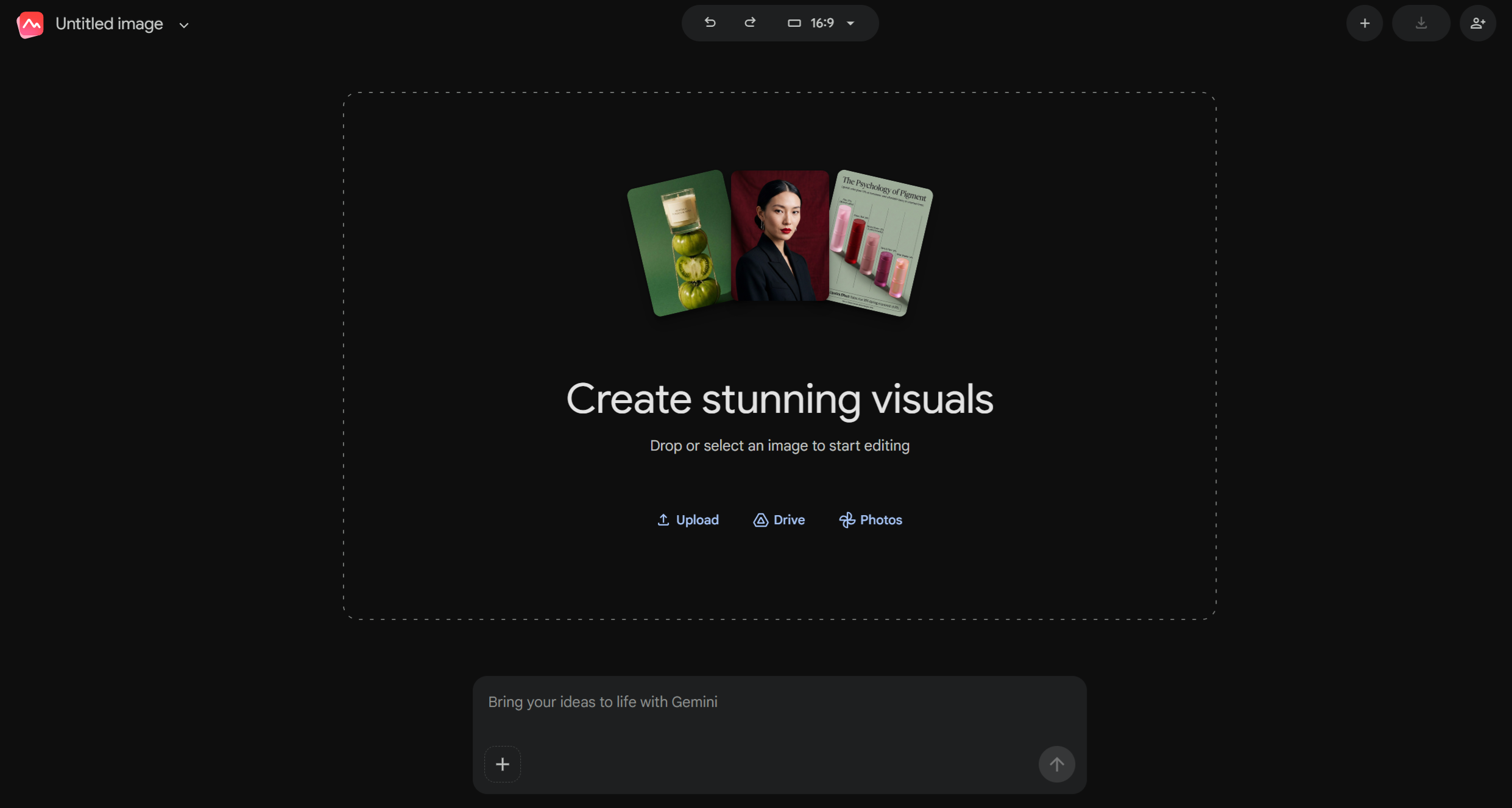
Google Pics is an AI-powered image generator and precision editor that enables users to design, generate, and refine visuals using natural language prompts, reference images, or targeted element adjustments.
Whether you are designing event flyers, social media ads, digital illustrations, invitations, or presentation assets, Google Pics eliminates the hassle of complex image editing software. Rather than forcing you to regenerate whole images, Pics gives you direct control to modify specific sections, update embedded text, or shift visual styles while preserving the original composition.
Key Features & Capabilities of Google Pics
Google Pics introduces a suite of features designed for both rapid creation and surgical precision:
1. Precision Object Segmentation & Transformation
With built-in object segmentation, Pics automatically identifies elements within an image. You can hover over and select specific elements (such as "Floor" or a garment) to move, resize, or completely transform them without altering the rest of the image.
- Examples: Change the color of a sweater, transform a dog into a cat, or hover over a room's floor and add a woven rug.
- Batch Editing: Apply up to five simultaneous element or text edits before finalizing your image.
2. In-Image Text Editing and Translation
Pics automatically detects text embedded within your images, allowing you to modify content or typography while preserving the original design style and font aesthetics:
- Text Updates: Change phrasing directly inside the image (e.g., updating "Welcome" to "Bienvenue").
- Style Controls: Adjust text styling using natural language prompts (e.g., "make the text bold and italic").
3. Flexible Prompt-Based Editing
Google Pics provides multiple ways to edit images using plain English prompts:
- General Edits: Apply global adjustments across the entire canvas (e.g., "Desaturate the photo slightly and add cooler tones to shadows for a premium look").
- Section-Specific Edits: Click and drag your cursor over a selected area on the canvas to apply local edits to just that region.
4. Style & Element Reference Images
You can use existing images from your computer, Google Drive, or Google Photos as visual reference points to guide new AI generations:
- Upload via drag-and-drop, copy-paste, or the "Add images" menu.
- Instruct the AI how to interpret the reference image (e.g., "Use the blue in this image as the color for the background of my new image").
5. Composition & Aspect Ratio Controls
Easily reframe photos for different marketing platforms and presentation layouts:
- Select preset aspect ratios from a top dropdown menu, including 16:9, 1:1, and 4:3.
- Adjust visual scaling using options like Fit.
Built for Google Workspace & Team Collaboration
Google Pics isn't just a standalone image editor; it is deeply integrated into the Google Workspace ecosystem to keep your creative momentum flowing.
- Native Workspace Integrations: Launch and edit images directly within Google Slides and Google Drive, eliminating the need to export and re-upload assets between third-party software.
- Real-Time Collaborative Canvases: Edit visuals together with your team. Shareable canvases allow multiple users to work on and refine the same image simultaneously.
- Custom Access Control: Share images with collaborators via the standard Workspace sharing dialog, assigning Viewer or Editor permissions to specific users, groups, or events.
Technical Specifications & File Compatibility
To ensure smooth adoption across your business, keep the following technical requirements in mind:
|
Category
|
Supported Specifications
|
|
Supported File Formats
|
.jpg, .png, .bmp, .tiff
|
|
Import Sources
|
Computer local storage, Google Drive, Google Photos
|
|
Export Options
|
Download as PNG or JPEG, or send directly to Print
|
|
Supported Browsers
|
2 most recent versions of Chrome, Firefox, and Microsoft Edge (Windows)
|
|
Platform & Language
|
Desktop only; currently available in US-English
|
Availability: How to Access Google Pics
Google Pics is currently rolling out across select Workspace tiers and preview programs:
- Enterprise & Business Accounts: Available in Gemini Beta for Work and School accounts. Access is controlled directly by your organization's Workspace administrator.
- Personal Accounts: Available to personal account users participating in Google Workspace Experiments, a trusted tester program for early AI features.
- General Availability: Pics will become broadly available in the coming months for Workspace customers on Business Standard and higher plans, as well as Google AI Pro & Ultra subscribers.
- Admin Early Testing: IT admins can test Pics for their organization as soon as it becomes available by enabling Gemini Alpha features.
Supercharge Your Google Workspace Experience with Cloudasta
As a trusted Google Workspace partner, Cloudasta helps businesses harness the full potential of Google's AI innovations. Whether you need guidance on configuring Gemini settings, managing administrator controls for Beta features, or optimizing your cloud collaboration setup, our team is here to help.
Ready to transform how your organization creates and collaborates? Contact Cloudasta today to learn more about bringing Gemini and Google Workspace innovations to your team.